
Last Updated: November 19, 2026
Quick Summary
The best access to up-to-date local news and reviews for real-time event updates comes from pairing a trusted news outlet with official city and venue feeds. Add calendar subscriptions, one weekly newsletter, and recent reviews, then confirm any event on its official page the day before.
- Pair a news outlet for context with an official city or venue feed for confirmation.
- Enable alerts only for events, weather, and traffic, and cap it at two news apps.
- Subscribe to venue and city iCal or Google Calendar feeds so confirmed events update automatically.
- Sort reviews by newest first and look for patterns across multiple recent reviews.
- Cross-check any event against its official page the day before you go.
Table of Contents
- Why Real-Time Event Updates Beat Last Week’s Guide
- Where to Find Reliable Local News and Event Updates
- Setting Up Real-Time Event Updates on Your Phone
- Palm Springs Events This Weekend: Where the Listings Actually Live
- Reading the Palm Desert Events Calendar Without Getting Burned
- How Local Event Reviews Reveal What Listings Leave Out
- Verifying Fast-Moving Reports Before You Make Plans
- Comparing Coverage by Neighborhood and Source
- Common Mistakes That Lead to Stale Event Info
- Build Your Own Update Routine Before Your Next Trip
- Frequently Asked Questions
Why Real-Time Event Updates Beat Last Week’s Guide
The best access to up-to-date local news and reviews for real-time event updates starts with one habit: checking sources that publish on the day, not the season. Printed guides and old blog posts go stale fast in the Coachella Valley, where a venue can change its schedule, a road can close for an event, and a weekend lineup can shift within hours. Outdated listings can send visitors to closed doors, which is why it helps to point readers to live sources that actually update.
A listing that was accurate last Tuesday is a guess by Friday. Real-time updates fix that gap because they come from the source closest to the event: the venue, the city feed, or a reporter on the ground. Below, we break down where reliable local news lives, how to set up alerts that reach you the same day, and how to spot a stale listing before it ruins an evening. 🗓️
Where to Find Reliable Local News and Event Updates
Reliable local news and event updates come from four places: established news outlets, official city and venue feeds, community boards, and curated local guides. Each one has strengths and blind spots, so the smartest approach is to combine two or three rather than trust a single source.
Local news outlets carry the reporting muscle. They break stories, follow up, and correct errors in public. City and venue feeds are the primary source: when a park concert changes time, the city calendar usually reflects it first. Community boards move quickly and cover the small stuff, but accuracy varies. Curated guides pull the pieces together and skip the noise.
News outlets, city feeds, and community boards compared
| Source type | Update speed | Accuracy | Best for |
|---|---|---|---|
| Local news outlets | Fast | High, with corrections | Breaking news, investigations, event coverage |
| City and venue feeds | Fastest for schedule changes | High for official details | Confirmed times, cancellations, road closures |
| Community boards | Very fast | Mixed | Small events, word-of-mouth tips |
| Curated local guides | Regular | High when maintained | Planning a trip, comparing options |
A common mistake is picking one source and calling it done. The stronger move is pairing an outlet for context with an official feed for confirmation. If a community post and a city calendar disagree, trust the city calendar and check the venue’s own page next.
Setting Up Real-Time Event Updates on Your Phone
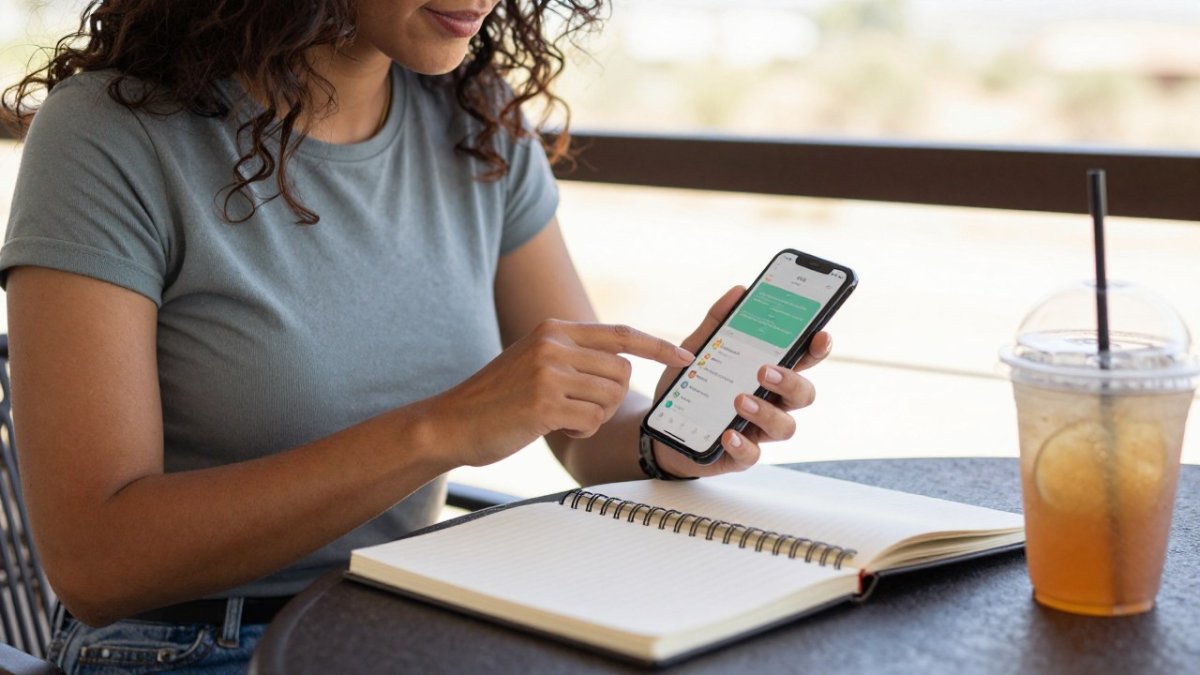
Real-time event updates on your phone come down to a few tools working together: push alerts from a trusted news app, calendar subscriptions, and a weekly email digest. The difference between a phone that keeps you current and one that buries you in noise is how you configure each one. Here is the setup we walk readers through, step by step.
Step 1: Pick one or two news apps and tune the categories. Install a local news app, then open its notification settings and enable only the topics tied to your plans: events, weather, and traffic. Most apps let you choose breaking-news alerts separately from daily digests. Turn on breaking news for the outlet that covers your area most consistently, and leave general-interest categories off. Two apps is the practical ceiling; a third usually duplicates the first two and adds noise.
Step 2: Set location permissions deliberately. Real-time alerts depend on location, but the setting matters. Choose “While Using the App” or “Always” only for the one app you trust most for breaking updates; set the rest to “Ask Next Time” or “Never.” In the app’s own settings, confirm the location is set to your current city rather than a broad region, since metro-wide settings can push alerts for events an hour away. Review the app’s privacy page to see whether location is stored or shared, and revoke access for any app you stop using.
Step 3: Subscribe to venue and city calendars. Most city parks departments and venues publish an iCal or Google Calendar feed. On iPhone, open Settings, tap Calendar, then Accounts, and add the subscription URL; on Android, open Google Calendar, tap the plus icon, choose “From URL,” and paste the feed. Confirmed events then appear alongside your own appointments and update automatically when the organizer changes a time.
Step 4: Add one weekly newsletter. A digest you can scan in five minutes catches previews and roundups that push alerts never surface. Subscribe to one local outlet’s events newsletter and one curated guide’s weekly update, and archive them in a single folder so they do not compete with breaking alerts.
Step 5: Set quiet hours and a notification summary. Both iOS and Android let you schedule a summary of non-urgent notifications for a set time, such as 8 a.m. and 6 p.m. Put newsletters and non-breaking categories into the summary and reserve immediate banners for breaking news and weather warnings. This is the single biggest fix for notification fatigue.
Watch out: granting “Always” location access to several apps at once drains battery and shares your movements more widely than necessary; keep it to the one app you rely on for same-day alerts, and check the privacy settings quarterly.
Accessibility settings deserve the same attention. Turn on bold text and larger fonts for alert banners if you read them at a glance, enable vibration patterns so alerts register in a noisy venue, and use the screen-reader labels in your news app to confirm which category an alert belongs to before you act on it. Readers who are hard of hearing can route breaking alerts to a smartwatch with haptic feedback, which many local news apps support.
Palm Springs Events This Weekend: Where the Listings Actually Live
Palm Springs events this weekend live in a handful of places you can check in minutes. The city’s official calendar, venue pages, and a curated local guide cover most of what is happening, and cross-checking two of them catches the changes a single listing misses.
Here is where we look first:
- City and parks calendars for confirmed times and any last-minute changes
- Venue pages for ticketed shows, since the venue controls its own schedule
- Local news outlets for weekend roundups and previews
- Curated guides for a shortlist that is already filtered
For a concrete example of how a recurring series gets announced with real dates, see our coverage of Palm Desert concerts in the park. That kind of dated post shows you what a current listing looks like versus a vague one that never names a day. When a listing has no date and no source, treat it as a placeholder, not a plan.
Reading the Palm Desert Events Calendar Without Getting Burned
The Palm Desert events calendar is only as good as its last update. Read it with three questions in mind: when was it refreshed, who published it, and does it link to the venue or organizer? A calendar that answers all three is one you can plan around.
Check the date stamp first. A calendar that shows a last-updated date within the past week is doing its job. One with no date at all is a gamble. Next, confirm the organizer is named. Official city and venue calendars name the host, which lets you verify the event directly. Finally, follow the link. If the calendar entry points to a live event page, you can confirm the details at the source.
If you want a step-by-step method for working through local listings without wasting an afternoon, our guide on how to find updated Palm Desert events walks through the exact process. It is the same approach we use when we refresh our own pages.
How Local Event Reviews Reveal What Listings Leave Out
Local event reviews fill the gap that official listings cannot: what the experience was actually like. A calendar tells you a show starts at seven. A review tells you the parking lot fills an hour early, the lawn seats carry the best sound, and the concession line moves slowest at intermission. The query pairs news with reviews for a reason, and the practical skill is knowing where timely local reviews live and how to read them.
Where to find reviews that are actually current. Start with the venue’s own page, which often hosts recent attendee comments and post-event recaps. Next, check the local news outlet’s events coverage, since reporters who attend a show often fold in observations about crowds, parking, and logistics. Community boards and neighborhood groups move fastest and cover small events the bigger outlets skip, but accuracy varies, so treat them as leads rather than confirmation. Curated local guides that refresh on a weekly cadence are useful for a filtered shortlist, provided they show a last-updated date.
How to read reviews for signal. Read for patterns, not single opinions. One complaint about parking is noise; five reviews mentioning the same lot filling up is a signal. Sort by newest first and look at the date on each review, since a venue can change management, hours, or layout between seasons. A review from three years ago describes a different place. Look for reviews that name specifics: the gate you entered, the time you arrived, the section you sat in. Vague praise and vague complaints tell you little; specific detail is what you can plan around.
Pair reviews with breaking updates. If a venue announces a schedule change, recent reviews tell you how that venue handles crowds and logistics, which helps you decide whether to go at all. Reviews are context, not confirmation. Use them to set expectations for parking, seating, and timing, then confirm the details on the official page the day before.
A quick review-quality checklist. Before you trust a review enough to change your plans, ask:
- Does it carry a date within the past few weeks?
- Does it name the event, venue, or organizer specifically?
- Does it describe logistics you can act on, such as arrival time or seating?
- Do multiple recent reviews agree on the same point?
- Does the official page confirm the event details the review describes?
A review that passes all five is worth planning around. One that fails two or more is a data point, not a decision. When reviews and official listings disagree about a time or a cancellation, trust the official page and check the venue’s own feed next, since the organizer controls the schedule.
Verifying Fast-Moving Reports Before You Make Plans
Verifying a fast-moving report takes two steps: find the primary source, then check the timestamp. If the only place a claim appears is a social post with no link and no date, wait. Real news about a schedule change, a closure, or a new event almost always traces back to the venue, the organizer, or a news outlet that names its source.
Run this quick check before you commit an evening to a plan:
- Does the report name the venue or organizer?
- Does it link to an official page or a named news outlet?
- Does it show a date and time for the update?
- Do two independent sources agree?
- Has the official page been updated to match?
Two matching sources plus a recent timestamp is your green light. For an example of how confirmed dates get reported clearly, our post on Stagecoach and Coachella festival dates and plans shows the difference between a rumor and a dated announcement. When a report fails the checklist, bookmark it and check back in a day.
Comparing Coverage by Neighborhood and Source
Coverage varies by neighborhood, and knowing which source covers which area saves you time. A citywide outlet may cover a big festival but skip a small library event. A community board may cover the neighborhood park series but miss a regional show. Match the source to the area you are planning around.
Here is how we think about it:
- Citywide outlets for major events, road closures, and anything with regional draw
- Neighborhood boards for hyperlocal happenings a bigger outlet skips
- Venue feeds for anything with a ticket and a start time
- Curated guides for a cross-neighborhood shortlist in one place
For a sense of how a seasonal roundup looks when it is done well, our Palm Desert pumpkin patch and fall decor guide is a good example of a time-sensitive local listing that names places and dates. Compare that to a generic “things to do” page with no dates, and you will see why source quality matters as much as coverage area.
Common Mistakes That Lead to Stale Event Info
Stale event info almost always traces back to the same handful of mistakes. The biggest is trusting a source that never shows a last-updated date. The second is relying on a single outlet instead of cross-checking. The third is planning around a listing that does not name the venue or organizer.
Other frequent traps:
- Saving a screenshot of an event instead of the live page
- Assuming last year’s schedule repeats without confirmation
- Ignoring time zone and start-time details on ticketed shows
- Skipping the venue’s own page in favor of a third-party roundup
Outdated information causes real confusion, and we see it often. Pages that never get refreshed leave readers guessing. Our team lives in Palm Desert and stays current on what is happening across the Coachella Valley. For an example of how a dated local announcement looks when it is handled right, see our post on Wally’s Desert Turtle opening for its season. A clear date and a named venue are the marks of a listing you can trust.
Build Your Own Update Routine Before Your Next Trip
A simple update routine beats a dozen bookmarked pages. Set aside ten minutes before your trip and again on the morning of each event, and you will catch almost every change before it catches you.
Here is the routine we recommend:
- Pick one local news outlet and turn on alerts for events, weather, and traffic.
- Subscribe to one weekly newsletter for a digest you can scan in five minutes.
- Add the calendars for the venues and parks you plan to visit.
- Cross-check any event against its official page the day before.
- Read recent reviews to set expectations for parking, seating, and timing.
That routine is free and takes minutes to set up. The Visitor Center for Palm Desert & Palm Springs offers an AI-powered guide that brings together local news, events, and reviews in one place, along with weekly updates. There are no fees for using the service, and you get the most out of it by doing a little research online first.
Before your next trip, browse our Palm Desert hotels and resorts directory to lock in your stay, then check our Desert Events page for what is happening while you are in town. Get started with Visitor Center for Palm Desert & Palm Springs and plan your Coachella Valley visit around listings you can actually trust.
Planning a desert trip around events that keep changing is frustrating when your sources go stale. Visitor Center for Palm Desert & Palm Springs keeps a current, AI-powered guide to local news, events, dining, and places to stay, so you can confirm details in one place instead of chasing five tabs. Our weekly updates and curated listings help you plan with confidence, and there are no fees to use the service. Get started with Visitor Center for Palm Desert & Palm Springs and spend less time verifying and more time enjoying the valley.
Frequently Asked Questions
How can I find reliable local news and event updates?
Start with a small set of sources you check on a schedule: a local news outlet, the city’s official calendar, and one curated guide that covers the area you are visiting. Cross-check any event against two of them before you commit. palmdesert.com has provided information for Palm Desert and Palm Springs residents and visitors for over 30 years, which makes it a useful anchor source when you are comparing what different outlets report.
How do I verify whether an event is still happening?
Check the venue’s own page or social feed first, since cancellations usually appear there before they reach aggregators. Then call the venue if the event is within 24 hours. Look for a recent update timestamp on the listing; a page with no date is a warning sign. If two sources disagree, trust the venue and the organizer over a third-party calendar, and treat unconfirmed listings as tentative until you hear otherwise.
What is the best way to get real-time event updates?
Turn on push alerts from one or two trusted local outlets rather than a dozen, and subscribe to a weekly newsletter for the broader picture. Add event calendars to your phone’s calendar app so schedule changes sync automatically. Keep notifications limited to the categories you care about so alerts stay useful. Pair that with a quick morning check of a local news site, and you will catch most last-minute changes before they affect your plans.
How can local event reviews help me choose what to attend?
Reviews tell you what a listing cannot: crowd size, parking difficulty, whether an event runs long, and whether it suits families or a night out. Read reviews from the past few months, since venues and organizers change. Look for reviewers who describe specifics rather than star ratings alone. A pattern of comments about long lines or limited shade, for example, tells you more than a single enthusiastic post.


